
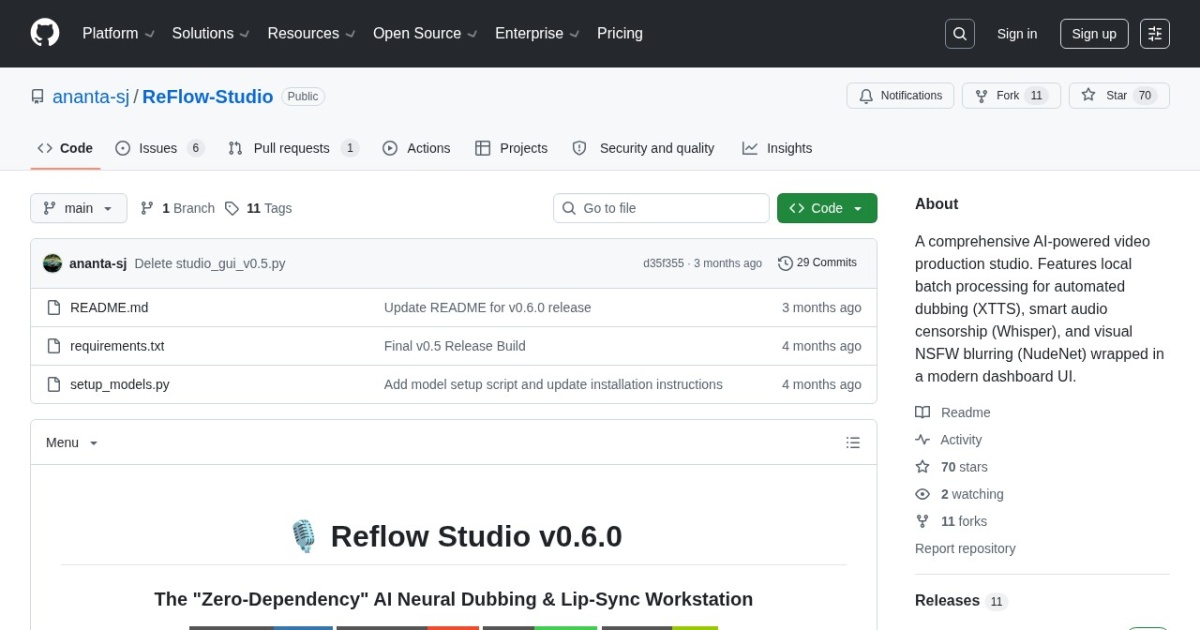
Reflow Studio alternatives
Open-source local dubbing workstation combining RVC voice cloning, Wav2Lip lip sync, and face enhancement.
This Reflow Studio alternatives guide compares pricing, strengths, tradeoffs, and related options.
Reflow Studio is included in this directory as a local-first alternative to hosted dubbing and lip-sync platforms. It chains local video dubbing components such as RVC voice conversion, Wav2Lip lip sync, FFmpeg, and face enhancement into a desktop workflow for users who prefer local control over cloud credits.
Official site: https://github.com/ananta-sj/ReFlow-Studio
Company YouTube: No official company YouTube channel found during official-page review.
At a glance
| Pricing model | Free |
|---|---|
| Page type | Open-source project |
| Model source | 3rd-party models |
| API cost | No hosted API cost; runs locally after setup. |
| Subscription cost | No required subscription for the open-source project. |
| Best for | Local avatar animation workflows, Developers building lip-sync and dubbing workflows, Privacy-sensitive local dubbing pipelines |
| Categories | For Creators , Free AI Tools , Developers , Local LLMs |
TTS feature comparison
| Tool | Languages | Accents | Voice cloning | Voice changing | Local/offline | API access | Notes |
|---|---|---|---|---|---|---|---|
| Reflow Studio | Language support depends on the local TTS, translation, and voice-conversion models configured. | Accent behavior depends on the RVC voice model and generated target-language audio. | Yes | Yes | Yes | No | Best for technical users who want local dubbing and lip sync without per-minute cloud billing. |
| Sync.so | Works with replacement audio inputs; language coverage depends on the audio or dubbing system used before lip sync. | Accent handling depends on the supplied audio track rather than a built-in voice library. | No | No | No | Yes | Best used after audio generation or translation when the final step is realistic mouth movement. |
| Dubverse | Dubverse supports multilingual dubbing; exact language coverage depends on current plan and voice catalog. | Accent and voice behavior depends on selected dubbing language and voice. | Partial | Partial | No | No | LipSync is best applied after translation and timing edits are finalized. |
| CloneDub | CloneDub positions support for 27+ languages. | Voice behavior depends on cloned voice or selected predefined voice. | Yes | Partial | No | No | Best for audio-first video and podcast dubbing; verify lip-sync needs separately. |
Top alternatives
- Wav2Lip : Open-source lip-sync model for syncing speech to an existing face video or portrait clip.
- LatentSync : Open-source lip-sync framework for generating talking portrait videos from audio and face inputs.
- VideoReTalking : Open-source talking-head editing stack for re-syncing, re-voicing, and expression-aware face video edits.
- LivePortrait : Open-source local portrait animation tool that turns a single image into a talking video.
- Sync.so : Developer-focused lip-sync API for generating synchronized videos from video and audio inputs.
- Dubverse : AI video dubbing platform with translation, studio editing, and premium LipSync for dubbed videos.
- CloneDub : Automated video dubbing platform for translating YouTube, podcast, and video content with cloned voices.
Notes
Reflow Studio is the local-control option for technical users who would rather manage GPU setup and model quirks than send sensitive dubbing work through a hosted localization service.
Comparison table
| Tool | Pricing | Page type | Model source | API cost | Subscription cost | Pros | Cons |
|---|---|---|---|---|---|---|---|
| Reflow Studio | Free | Open-source project | 3rd-party models | No hosted API cost; runs locally after setup. | No required subscription for the open-source project. | Local open-source workflow avoids per-minute cloud credits; Combines voice conversion, Wav2Lip, and face enhancement | Less mature than hosted SaaS localization tools; Setup, GPU compatibility, and model downloads can be technical |
| Wav2Lip | Free | Open-source project | 3rd-party models | No separate public API pricing is listed; access appears tied to the provider's plans or hosted usage. | Subscription cost follows the listed plan range above. | Strong baseline lip-sync quality for an older open model; Works on existing face videos rather than only single-image animation | Open release is older and less polished than newer avatar stacks; License posture is less friendly for commercial productization than Apache or MIT options |
| LatentSync | Free | Open-source project | 3rd-party models | No separate public API pricing is listed; access appears tied to the provider's plans or hosted usage. | Subscription cost follows the listed plan range above. | Free local workflow with no per-render subscription fee; Useful baseline for talking portrait generation | Technical installation compared with hosted tools; Generation quality can be inconsistent across inputs |
| VideoReTalking | Free | Open-source project | 3rd-party models | No separate public API pricing is listed; access appears tied to the provider's plans or hosted usage. | Subscription cost follows the listed plan range above. | Better fit for editing existing talking-head footage than single-image avatar tools; Apache-2.0 is cleaner for commercial evaluation than many research-only releases | More moving parts than simpler lip-sync scripts; Setup is still technical compared with hosted avatar products |
| LivePortrait | Free | Open-source project | 3rd-party models | No separate public API pricing is listed; access appears tied to the provider's plans or hosted usage. | Subscription cost follows the listed plan range above. | Free to use with local execution; Good control for image-to-video avatar experiments | Setup and dependency management can be technical; Quality varies with source image and driving signal |
| Sync.so | Credits | Product/service | Own models | Usage-based API pricing; cost depends on selected Sync model and processed minutes. | Subscription cost follows the listed plan range above. | Purpose-built lip-sync API with multiple model options; Useful for product teams building localization or personalized video features | Requires separate audio generation or translation workflow; Cloud processing may not fit sensitive unreleased footage |
| Dubverse | Credits | Product/service | Own models | API or automation access should be confirmed with Dubverse before integration. | Paid plans and credits govern dubbing, editing, and LipSync usage. | Established dubbing workflow with studio review; LipSync can be enabled during project creation or after editing | LipSync is a premium add-on rather than the whole product; Works best with clear single-person footage |
| CloneDub | Subscription | Product/service | Own models | API access is not prominently positioned on the public site. | Paid plans govern dubbing minutes, queue priority, and extra minute rates. | Practical for YouTube and podcast dubbing workflows; Preserves music and sound effects alongside translated speech | Lip-sync capabilities are not the main public promise; Language coverage is narrower than large localization suites |
Internal links
Related best pages
- Best AI Voiceover Tools
- Best AI Tools for YouTube Shorts
- Best AI Video Repurposing Tools
- Best AI Thumbnail Generators