
ComfyUI alternatives
Node-based image and video workflow builder for local and cloud generation pipelines.
This ComfyUI alternatives guide compares pricing, strengths, tradeoffs, and related options.
ComfyUI is included in this directory because it gives creators and small teams full control over repeatable visual production workflows, now with both local-first and cloud-hosted usage paths.
Official site: https://www.comfy.org/
Company YouTube: https://www.youtube.com/@ComfyOrg
At a glance
| Pricing model | Free |
|---|---|
| Page type | Open-source project |
| Model source | 3rd-party models |
| Price range | Free (open-source) |
| Model last update | 2026-01-13 (official ComfyUI GitHub releases page: v0.9.1 latest release). |
| Supported image resolution | Model-dependent and workflow-dependent; practical usage ranges from 512 and 1024 native generation to larger tiled, upscale, and video-oriented pipelines. |
| Best for | Repeatable image and video content workflows |
| Categories | For Creators , For Solopreneurs , For Small Business , Video , Virtual Avatars , Design , Image Generation , Free AI Tools , Automation |
| ControlNet support |
|
Top alternatives
- Tensor.Art : Hosted AI image and video generation platform with community models, workflows, and online training.
- Stable Diffusion : Open model family for text-to-image generation, spanning v1.x, v2.x, SDXL, and SD3/SD3.5.
- Midjourney : High-quality AI image generation for thumbnail concepts and visuals.
- Leonardo AI : Image generation platform with style controls and asset variations.
- SwarmUI : Local-first Stable Diffusion UI focused on multi-model orchestration and scalable generation queues.
- Forge : Performance-focused Stable Diffusion WebUI fork designed for practical local generation speed and compatibility.
- Fooocus : Beginner-friendly local Stable Diffusion UI focused on high-quality images with minimal setup.
- AUTOMATIC1111 : Feature-rich Stable Diffusion WebUI with extensive model, extension, and parameter control.
- InvokeAI : Polished local-first generative image platform with strong workflow UX for Stable Diffusion users.
- Griptape : Visual workflow platform for building AI apps and node-style agent pipelines.
- HeyGen : Avatar and talking-head video generator for quick production.
- Synthesia : AI avatar video platform for tutorials, explainers, and faceless content.
- D-ID : AI avatar and talking-head video platform for explainers, campaigns, and influencer-style content.
Notes
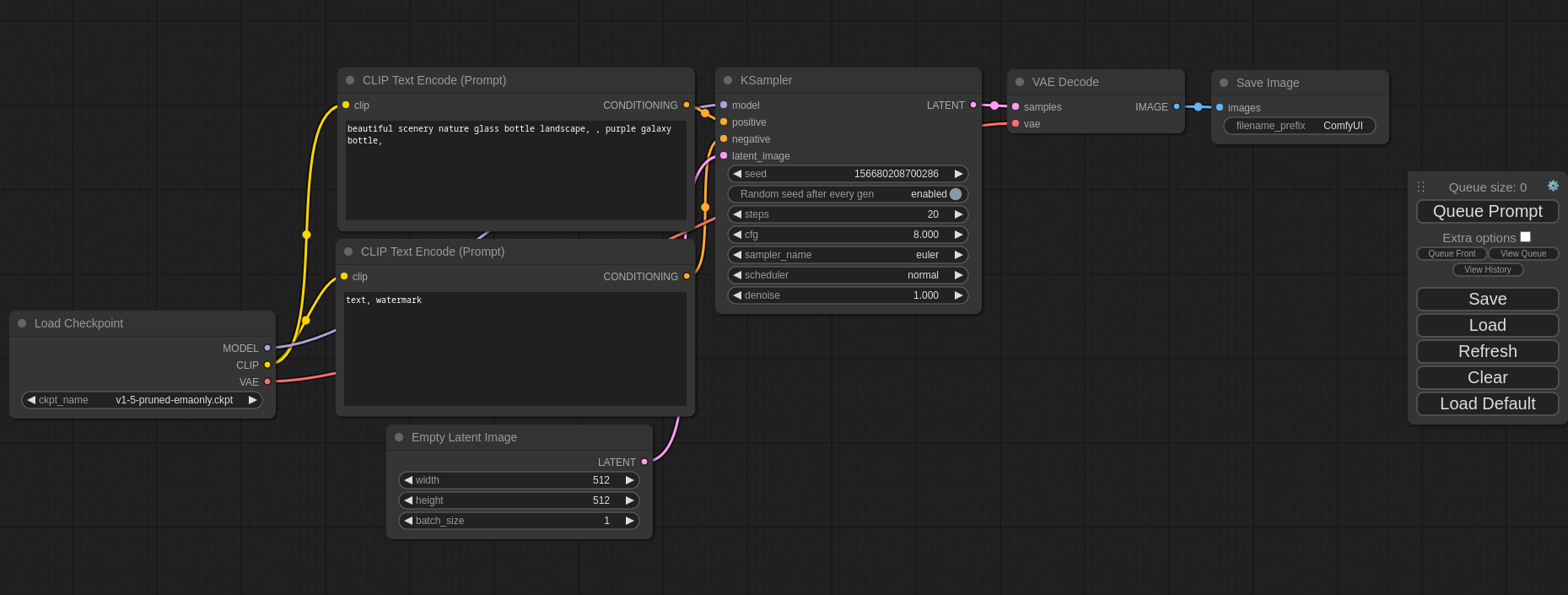
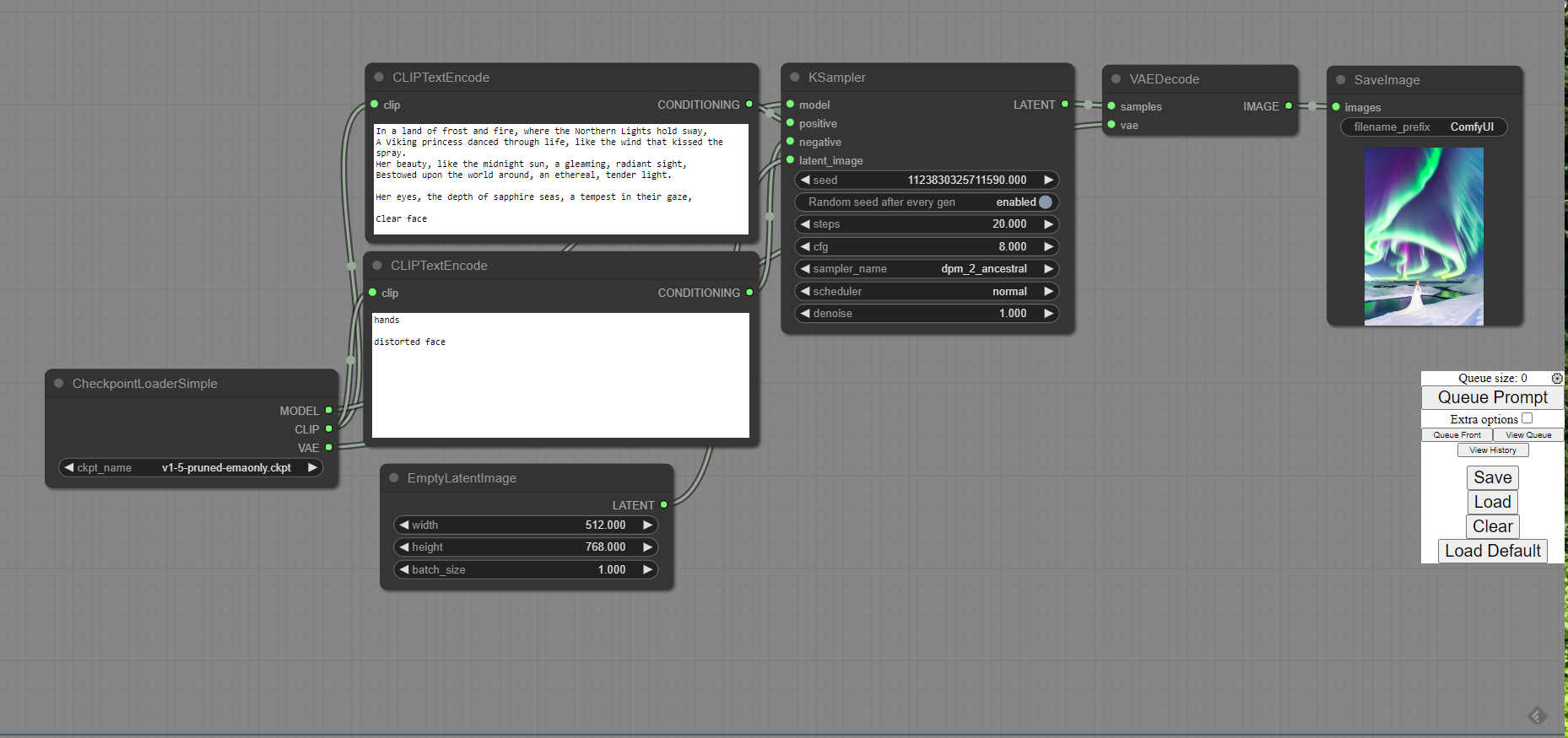
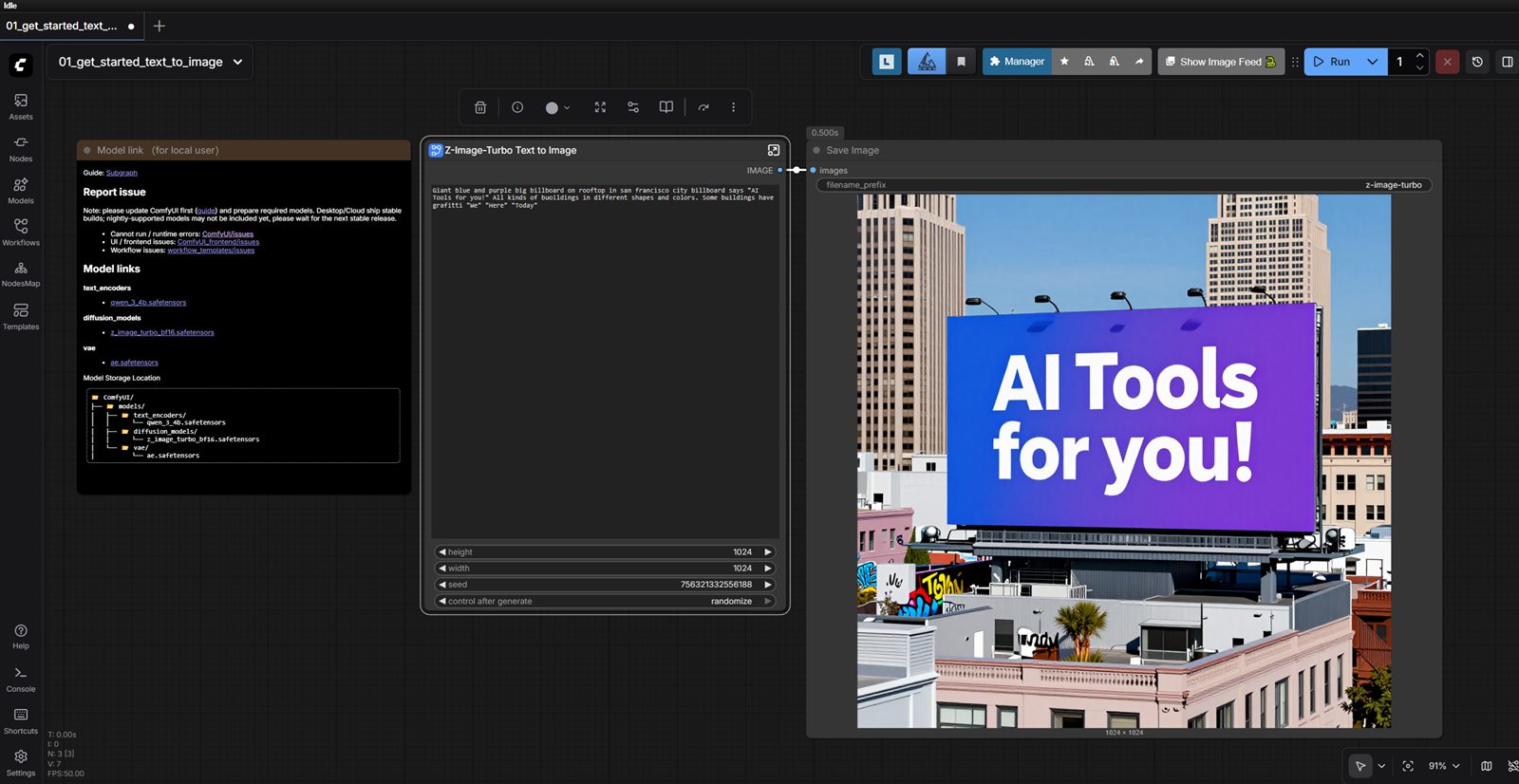
ComfyUI is a strong fit when you need reusable visual pipelines instead of one-off prompt sessions.
Product screenshots
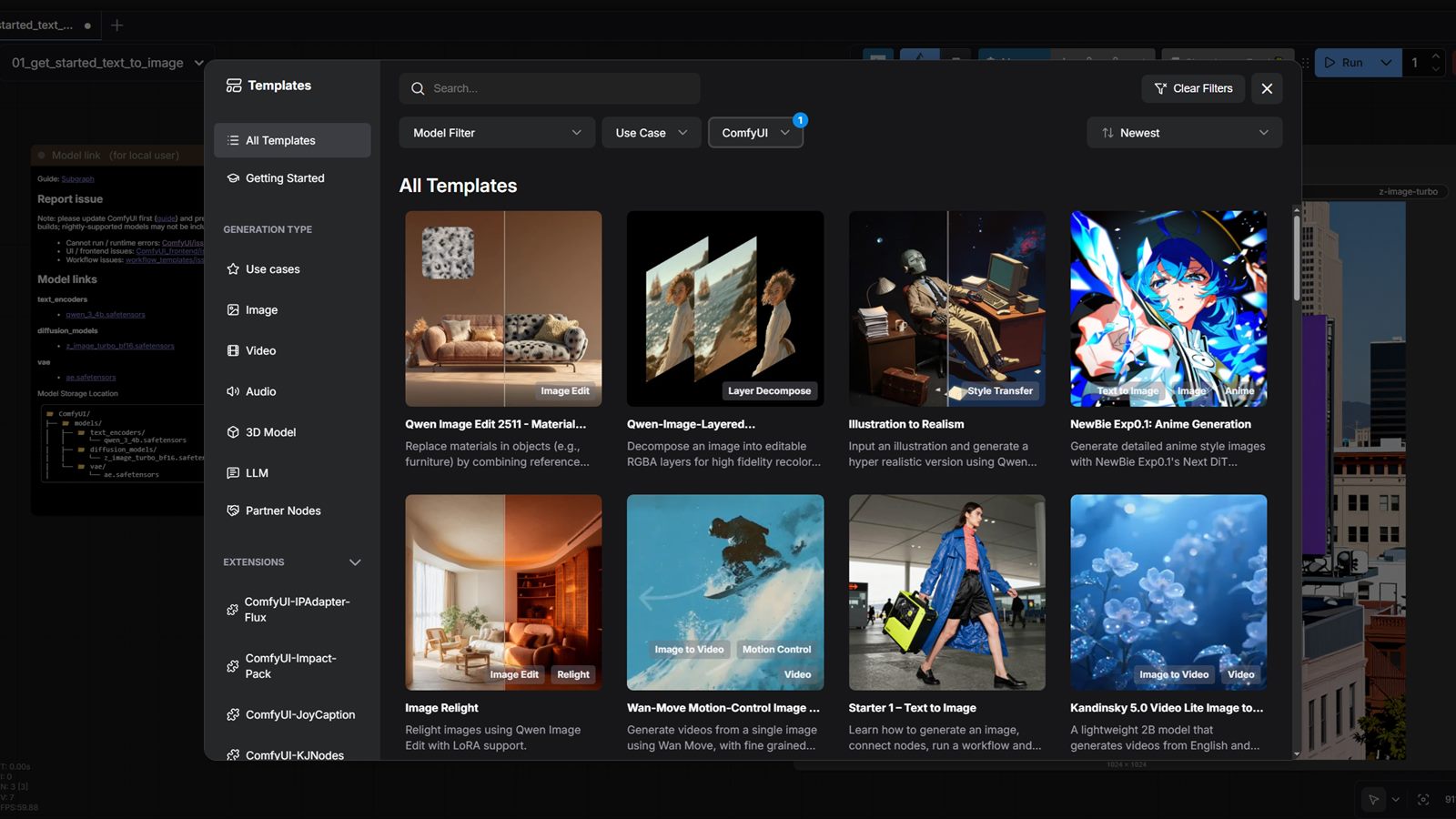
Comparison table
| Tool | Pricing | Page type | Model source | Price range | API cost | Subscription cost | Resolution | ControlNet | Pros | Cons |
|---|---|---|---|---|---|---|---|---|---|---|
| ComfyUI | Free | Open-source project | 3rd-party models | Free (open-source) | No required vendor API cost for local/self-hosted use. | No mandatory subscription for the open-source local version; cloud usage is billed separately if you choose a hosted runtime. | Model-dependent and workflow-dependent; practical usage ranges from 512 and 1024 native generation to larger tiled, upscale, and video-oriented pipelines. |
| Full control over generation workflows and model stack; Great for reusable templates and batch processing | Learning curve is higher than prompt-only tools; Workflow debugging can take time on complex graphs |
| Tensor.Art | Freemium | Model family | 3rd-party models | Free + credits + $1 daily pass / $9.90 Pro | TAMS billing docs show image-generation capability billed from about $0.003 per credit, with final cost depending on workflow, hardware tier, and selected model path. | Official public pricing includes a $1 Daily Pass, $9.90 monthly Pro, $19.90 quarterly Pro, and yearly Pro offers, plus separate credit packs. | Model- and workflow-dependent; hosted image and video outputs vary by selected model, workflow, and Pro segment access. |
| Large hosted community of models, LoRAs, and reusable workflows; Useful bridge between no-setup generation and more advanced ComfyUI-style control | Quality, controls, and licensing depend heavily on the selected community model or workflow; Credit economics can become hard to predict across mixed hosted workflows |
| Stable Diffusion | Free | Model family | Own models | Free model weights (compute/storage costs apply) | No mandatory vendor API fee for local/self-hosted use; hosted inference APIs are provider-priced. | No required subscription for local use of model weights; managed services may have paid plans. | Varies by branch: SD1.x/2.x commonly 512-768, SDXL 1024 native, SD3/3.5 often 1024+. |
| Broad model ecosystem from lightweight to high-quality variants; Strong community tooling across ComfyUI, AUTOMATIC1111, and Diffusers | Version licensing and access terms differ across releases; High-end variants need substantial VRAM for smooth inference |
| Midjourney | Subscription | Product/service | Own models | $10-$120+/mo (plan-based) | No public self-serve API is listed; access is primarily through Midjourney app/subscription workflows. | Paid subscription required for regular use; tiered monthly plans are available. | Square-first generation with upscale/export modes (effective outputs commonly 1024+ and above). |
| Strong aesthetic quality with minimal prompt complexity; Reliable option for concept art and thumbnail ideation | No true free tier for sustained use; Commercial throughput can get expensive at scale |
| Leonardo AI | Freemium | Product/service | 3rd-party models | Free-$60+/mo | API access is available with usage-based billing; effective cost depends on model and volume. | Free tier available; paid subscriptions add monthly token allowances and higher limits. | Commonly up to 1536-2048 output classes (model/plan dependent). |
| Fast setup for solo teams; Useful template support for repeatable workflows | Costs can increase with higher usage; Output quality depends on prompt quality |
| SwarmUI | Free | Open-source project | 3rd-party models | Free (open-source) | No separate public API pricing is listed; access appears tied to the provider's plans or hosted usage. | Subscription cost follows the listed plan range above. | Model-dependent; supports SD/Flux/Qwen Image workflows with native 1024-2048px classes and larger outputs via tiling/upscaling. |
| Better queue and batch workflow handling for repeated generation jobs; Good fit for multi-model local setups | Setup and configuration are heavier than simple prompt-first tools; UI and workflow ergonomics can feel technical for beginners |
| Forge | Free | Open-source project | 3rd-party models | Free (open-source) | No required vendor API cost for local/self-hosted use. | No mandatory subscription for the open-source local version. | Model-dependent; practical local output commonly covers 512 to 1024 native generation, plus larger hires and upscale workflows. |
| Familiar WebUI flow for teams coming from AUTOMATIC1111; Good practical performance for local SD workloads | Still requires local setup and dependency maintenance; Can be complex for non-technical users |
| Fooocus | Free | Open-source project | 3rd-party models | Free (open-source) | No required vendor API cost for local/self-hosted use. | No mandatory subscription for the open-source local version. | Focused on SDXL-style workflows; 1024 native generation is common, with additional upscale and variation paths available. |
| Fast onboarding for local image generation; High-quality defaults for SDXL workflows | Less graph-level control than ComfyUI; Advanced custom pipelines are more limited |
| AUTOMATIC1111 | Free | Open-source project | 3rd-party models | Free (open-source) | No required vendor API cost for local/self-hosted use. | No mandatory subscription for the open-source local version. | Model-dependent; common local workflows range from 512 to 1024 native, with higher resolutions possible through hires and upscale pipelines. |
| Deep control across samplers, models, and generation settings; Large ecosystem of community extensions | UI can feel dense for beginners; Extension compatibility can require maintenance |
| InvokeAI | Free | Open-source project | 3rd-party models | Free (open-source) | No required vendor API cost for local/self-hosted use. | No mandatory subscription for the open-source local version. | Model-dependent; common local use covers 512 to 1024 native generation, with higher resolutions supported through upscale and iterative workflows. |
| Cleaner interface than many local SD tools; Strong inpainting and iterative editing workflows | Smaller extension ecosystem than AUTOMATIC1111; Some advanced flows still require workflow learning |
Internal links
Related best pages
- Best AI Script Generators
- Best AI Voiceover Tools
- Best AI Tools for YouTube Shorts
- Best Free LLMs for Solopreneurs