
tl;dv alternatives
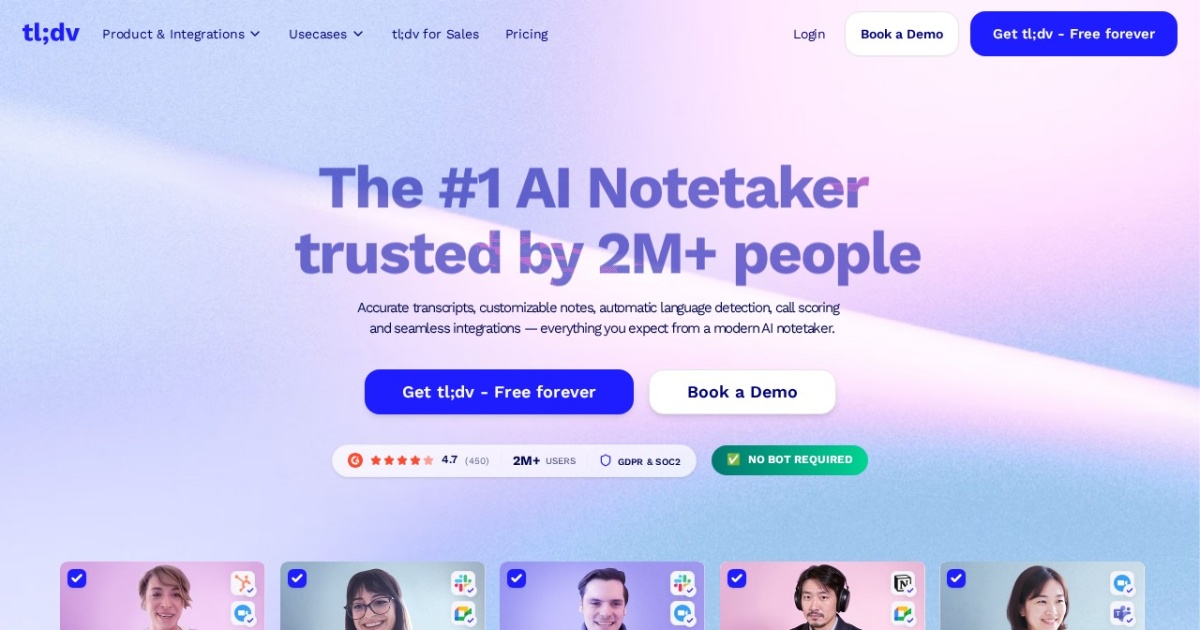
AI meeting recorder for Zoom, Google Meet, and Teams — transcription in 30+ languages, AI summaries, timestamp tagging, clip-sharing. Generous free tier with unlimited recordings.
This tl;dv alternatives guide compares pricing, strengths, tradeoffs, and related options.
tl;dv (short for 'too long, didn't view') is built for asynchronous meeting catch-up — you record meetings on Zoom, Google Meet, or Microsoft Teams, then share AI-summarized highlights and timestamped clips with people who weren't there. The platform supports transcription in 30+ languages and ships with an unusually generous free tier (unlimited meeting recordings) that lifts the evaluation barrier compared to most notetakers. The tool joins meetings as a bot rather than capturing system audio, which means it works without a desktop app installed but is visible to other participants. Best fit for distributed teams that need to share meeting context across timezones without forcing everyone to attend every call.
Official site: https://tldv.io/
At a glance
| Pricing model | Freemium |
|---|---|
| Page type | Product/service |
| Model source | 3rd-party models |
| Price range | Free tier with unlimited recordings + paid Pro and Business tiers for advanced features |
| Best for | Distributed teams needing asynchronous meeting catch-up across timezones, Sales teams sharing call clips with prospects or internal stakeholders, International teams running meetings in multiple languages, Solo professionals with high meeting volume who want unlimited free recordings |
| Categories | For Solopreneurs , For Small Business , Writing , Free AI Tools , Automation , Developers |
Top alternatives
- Granola : AI notepad for back-to-back meetings — writes alongside your own typed notes during the call, then produces a structured summary without joining as a recording bot.
- Anarlog : Open-source on-device AI notepad for meetings — local transcription, BYO API keys, notes saved as portable files. Formerly Hyprnote; canonical brand is now Anarlog.
- Plaud Note : ChatGPT-powered hardware voice recorder + companion app — captures meetings, calls, and memos, then transcribes and summarizes them into mind maps, notes, and to-do lists.
- Jellypod : AI podcast studio with multi-host dialogue (up to 4 hosts), voice cloning, PDF/URL/document ingestion, 30+ languages, video captions, and distribution to Spotify, Apple Podcasts, and YouTube.
- Descript : Text-based video and audio editor for narration, clips, and captions.
Notes
tl;dv is the practical pick for distributed teams running async meeting workflows — particularly when unlimited free recording matters more than full privacy or in-meeting note-taking polish.
Where tl;dv wins
| Job to be done | tl;dv | Other notetakers |
|---|---|---|
| Unlimited meeting recordings at $0 | Free tier covers it | Most cap free tier at 5-10/month |
| Share clipped highlights asynchronously with people who missed the call | Headline workflow | Usually full-transcript only |
| Multilingual transcription across distributed teams | 30+ languages | Often English-first |
| In-meeting note-taking integrated with my own typing | Not the strength | Granola wins |
| On-device privacy for sensitive meetings | Cloud transcription | Anarlog wins |
| In-person meetings without a laptop | Not the use case | Plaud Note wins |
Decision shortcuts
- Pick tl;dv when the workflow is “I miss a lot of meetings and need clipped highlights shared async.”
- Pick Granola when you attend most meetings and want AI to enhance your own notes.
- Pick Anarlog when on-device privacy is the gating requirement.
- Pick Plaud Note when meetings happen in person and away from a laptop.
Comparison table
| Tool | Pricing | Page type | Model source | Price range | API cost | Subscription cost | Pros | Cons |
|---|---|---|---|---|---|---|---|---|
| tl;dv | Freemium | Product/service | 3rd-party models | Free tier with unlimited recordings + paid Pro and Business tiers for advanced features | API access details vary by tier; check the tl;dv platform docs. | Free tier with unlimited recordings covers most solo professionals. Pro and Business tiers add AI capabilities and team workflows. | Unusually generous free tier — unlimited meeting recordings rather than a monthly cap; 30+ language transcription covers most international team workflows | Joins meetings as a visible bot — some participants find this intrusive; Cloud transcription means audio leaves your environment — privacy-sensitive teams should evaluate |
| Granola | Freemium | Product/service | 3rd-party models | Free tier with monthly meeting cap + paid Pro and Business subscriptions | API access details not publicly surfaced in 2026. Platform is operator-facing for individual professionals. | Free tier covers low-volume users; Pro tier covers solo professionals at moderate meeting volume; Business tier covers team workflows. | Captures system audio locally rather than joining the meeting as a visible bot — preserves the meeting feel; Designed for the user-still-takes-notes workflow rather than pure transcription replacement | System audio capture only works on platforms with the desktop app installed; Bot-based notetakers (tl;dv, Otter) still beat Granola for asynchronous "I missed the call" use cases |
| Anarlog | Free | Open-source project | 3rd-party models | Free open-source software; user pays underlying LLM provider for summary calls (BYOK) | No vendor API fee. BYOK model means your existing OpenAI/Anthropic/Ollama account handles summary costs. | No subscription required. Donations or commercial-support tiers available; check the project for current options. | Open-source code inspectable on GitHub — privacy claims are auditable rather than asserted; On-device transcription means audio never leaves your machine | Less polished UX than commercial competitors like Granola; Self-hosting requires comfort with installing and updating desktop software |
| Plaud Note | One-time | Product/service | 3rd-party models | Hardware purchase (one-time) + companion app with free tier and paid Pro subscription | No public developer API surfaced. ChatGPT transcription happens via Plaud's cloud, not user's own API key. | Free tier with limited transcription minutes per month; Pro tier lifts the cap. | Hardware-plus-app design covers in-person meetings where laptop notetakers can't reach; Pocket-size form factor fits consultants, sales reps, and field workers | Requires carrying hardware — purely-app competitors (Granola) work on existing devices; Transcription happens in Plaud's cloud, not on-device — not for privacy-sensitive meetings |
| Jellypod | Freemium | Product/service | 3rd-party models | Free (1,000 credits + unlimited episodes), Starter $29/mo, Creator $59/mo, Business $200/mo | Jellypod does not surface a developer API in marketing materials; the platform is operator/creator-facing rather than API-first. | Free tier covers low-volume creators; Starter ($29/mo) adds 2 voice clones; Creator ($59/mo) is the typical solo-podcaster tier; Business ($200/mo) adds up to 8 voice clones and priority support for teams. | Multi-host dialogue with up to 4 AI characters produces natural-sounding conversation, not single-voice narration; Voice cloning preserves host identity across episodes for brand consistency | No public developer API surface — operator-first, not programmatic; Credit model means heavy publishers can scale costs faster than a flat-fee plan |
| Descript | Subscription | Product/service | Own models | $12-$40+/seat/mo | Not a primary public API-priced TTS product; costs are mainly tied to Descript subscription plans. | Paid subscription tiers govern editing, overdub, and export limits. | Fast setup for solo teams; Useful template support for repeatable workflows | Costs can increase with higher usage; Output quality depends on prompt quality |
Internal links
Related best pages
- Best Free LLMs for Solopreneurs
- Best Free AI Tools for Solopreneurs
- Best AI Automation Tools
- Best AI Email Marketing Tools