
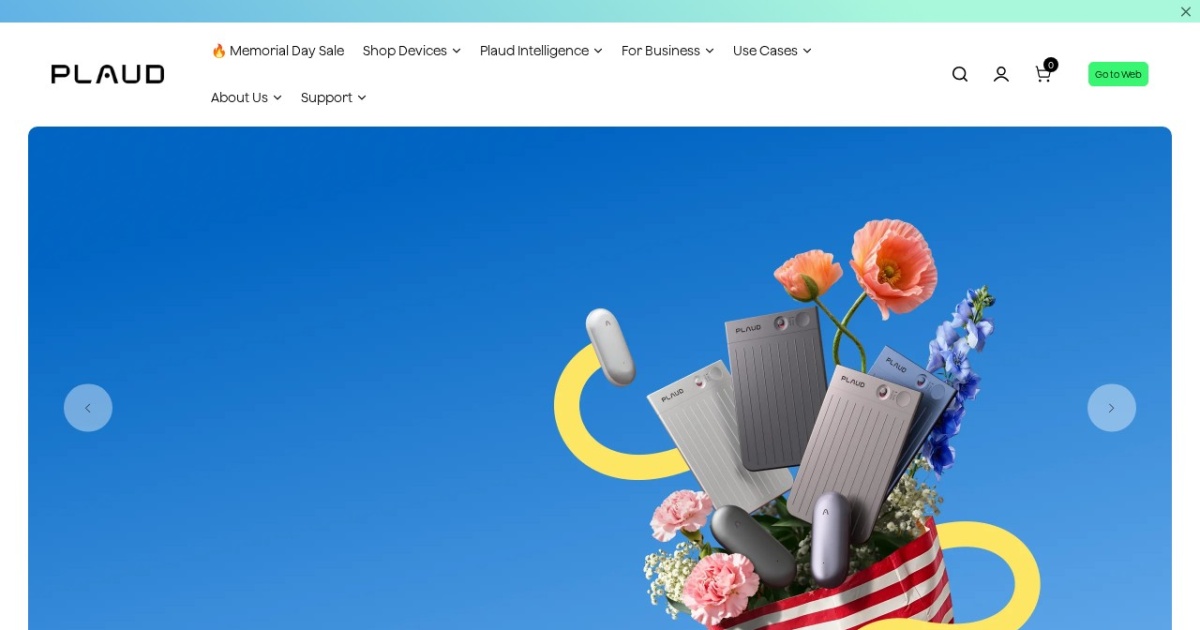
Plaud Note alternatives
ChatGPT-powered hardware voice recorder + companion app — captures meetings, calls, and memos, then transcribes and summarizes them into mind maps, notes, and to-do lists.
This Plaud Note alternatives guide compares pricing, strengths, tradeoffs, and related options.
Plaud Note occupies a distinct slot in the meeting-notes space — it's hardware-plus-software, not just an app. A pocket-size voice recorder pairs with the companion app to capture meetings, calls, in-person conversations, voice memos, and lectures, then uploads to the cloud where ChatGPT-powered AI generates transcripts and structured outputs (summaries, mind maps, to-do lists, follow-up actions). The hardware angle solves the in-person meeting case where bot-based notetakers can't reach and laptop-based capture is awkward. Launched January 2026; the hardware is sold via the company's site plus Amazon. Best fit for consultants, sales reps, and field workers whose meetings happen away from a laptop.
Official site: https://www.plaud.ai/
At a glance
| Pricing model | One-time |
|---|---|
| Page type | Product/service |
| Model source | 3rd-party models |
| Price range | Hardware purchase (one-time) + companion app with free tier and paid Pro subscription |
| Best for | Consultants and sales reps with in-person client meetings, Field workers (real estate, insurance, healthcare) capturing site conversations, Solopreneurs whose meetings happen away from their laptop, Anyone wanting a dedicated recorder rather than fiddling with phone apps mid-conversation |
| Categories | For Solopreneurs , For Small Business , Writing |
Top alternatives
- Granola : AI notepad for back-to-back meetings — writes alongside your own typed notes during the call, then produces a structured summary without joining as a recording bot.
- Anarlog : Open-source on-device AI notepad for meetings — local transcription, BYO API keys, notes saved as portable files. Formerly Hyprnote; canonical brand is now Anarlog.
- tl;dv : AI meeting recorder for Zoom, Google Meet, and Teams — transcription in 30+ languages, AI summaries, timestamp tagging, clip-sharing. Generous free tier with unlimited recordings.
- Jellypod : AI podcast studio with multi-host dialogue (up to 4 hosts), voice cloning, PDF/URL/document ingestion, 30+ languages, video captions, and distribution to Spotify, Apple Podcasts, and YouTube.
- ElevenLabs : Natural text-to-speech platform for voiceovers and narration.
Notes
Plaud Note is the practical pick when meetings happen away from your laptop — in-person consultations, sales meetings, on-site visits, lectures — where a dedicated hardware recorder beats fumbling with a phone app.
Where Plaud Note wins
| Job to be done | Plaud Note | App-only notetakers |
|---|---|---|
| Capture in-person meetings without a visible device | Pocket-size hardware | Phone or laptop required |
| Sales reps recording client conversations | Dedicated recorder + transcription | Awkward to start a phone recorder mid-call |
| Lectures or events where laptop isn’t practical | Hardware solves this | App-only struggles |
| Privacy-sensitive meeting transcription | Cloud-touched — limited | Anarlog wins |
| Software-only workflow on existing devices | Not applicable | Granola wins |
Decision shortcuts
- Pick Plaud Note when meetings happen in person and away from a laptop, and the hardware investment pays back across many sessions.
- Pick Granola when meetings happen on Zoom / Google Meet / Teams and you want app-only capture.
- Pick Anarlog when privacy is the gating concern and cloud transcription is a non-starter.
- Pick tl;dv when the workflow is asynchronous catch-up on missed calls rather than capturing meetings you attend.
Comparison table
| Tool | Pricing | Page type | Model source | Price range | API cost | Subscription cost | Pros | Cons |
|---|---|---|---|---|---|---|---|---|
| Plaud Note | One-time | Product/service | 3rd-party models | Hardware purchase (one-time) + companion app with free tier and paid Pro subscription | No public developer API surfaced. ChatGPT transcription happens via Plaud's cloud, not user's own API key. | Free tier with limited transcription minutes per month; Pro tier lifts the cap. | Hardware-plus-app design covers in-person meetings where laptop notetakers can't reach; Pocket-size form factor fits consultants, sales reps, and field workers | Requires carrying hardware — purely-app competitors (Granola) work on existing devices; Transcription happens in Plaud's cloud, not on-device — not for privacy-sensitive meetings |
| Granola | Freemium | Product/service | 3rd-party models | Free tier with monthly meeting cap + paid Pro and Business subscriptions | API access details not publicly surfaced in 2026. Platform is operator-facing for individual professionals. | Free tier covers low-volume users; Pro tier covers solo professionals at moderate meeting volume; Business tier covers team workflows. | Captures system audio locally rather than joining the meeting as a visible bot — preserves the meeting feel; Designed for the user-still-takes-notes workflow rather than pure transcription replacement | System audio capture only works on platforms with the desktop app installed; Bot-based notetakers (tl;dv, Otter) still beat Granola for asynchronous "I missed the call" use cases |
| Anarlog | Free | Open-source project | 3rd-party models | Free open-source software; user pays underlying LLM provider for summary calls (BYOK) | No vendor API fee. BYOK model means your existing OpenAI/Anthropic/Ollama account handles summary costs. | No subscription required. Donations or commercial-support tiers available; check the project for current options. | Open-source code inspectable on GitHub — privacy claims are auditable rather than asserted; On-device transcription means audio never leaves your machine | Less polished UX than commercial competitors like Granola; Self-hosting requires comfort with installing and updating desktop software |
| tl;dv | Freemium | Product/service | 3rd-party models | Free tier with unlimited recordings + paid Pro and Business tiers for advanced features | API access details vary by tier; check the tl;dv platform docs. | Free tier with unlimited recordings covers most solo professionals. Pro and Business tiers add AI capabilities and team workflows. | Unusually generous free tier — unlimited meeting recordings rather than a monthly cap; 30+ language transcription covers most international team workflows | Joins meetings as a visible bot — some participants find this intrusive; Cloud transcription means audio leaves your environment — privacy-sensitive teams should evaluate |
| Jellypod | Freemium | Product/service | 3rd-party models | Free (1,000 credits + unlimited episodes), Starter $29/mo, Creator $59/mo, Business $200/mo | Jellypod does not surface a developer API in marketing materials; the platform is operator/creator-facing rather than API-first. | Free tier covers low-volume creators; Starter ($29/mo) adds 2 voice clones; Creator ($59/mo) is the typical solo-podcaster tier; Business ($200/mo) adds up to 8 voice clones and priority support for teams. | Multi-host dialogue with up to 4 AI characters produces natural-sounding conversation, not single-voice narration; Voice cloning preserves host identity across episodes for brand consistency | No public developer API surface — operator-first, not programmatic; Credit model means heavy publishers can scale costs faster than a flat-fee plan |
| ElevenLabs | Freemium | Product/service | Own models | Free-$330+/mo | Usage-based API pricing is available; total cost depends on model, character volume, and selected plan. | Free tier available; paid subscriptions unlock higher limits, cloning depth, and team features. | Fast setup for solo teams; Useful template support for repeatable workflows | Costs can increase with higher usage; Output quality depends on prompt quality |
Internal links
Related best pages
- Best Free LLMs for Solopreneurs
- Best Free AI Tools for Solopreneurs
- Best AI Automation Tools
- Best AI Email Marketing Tools