
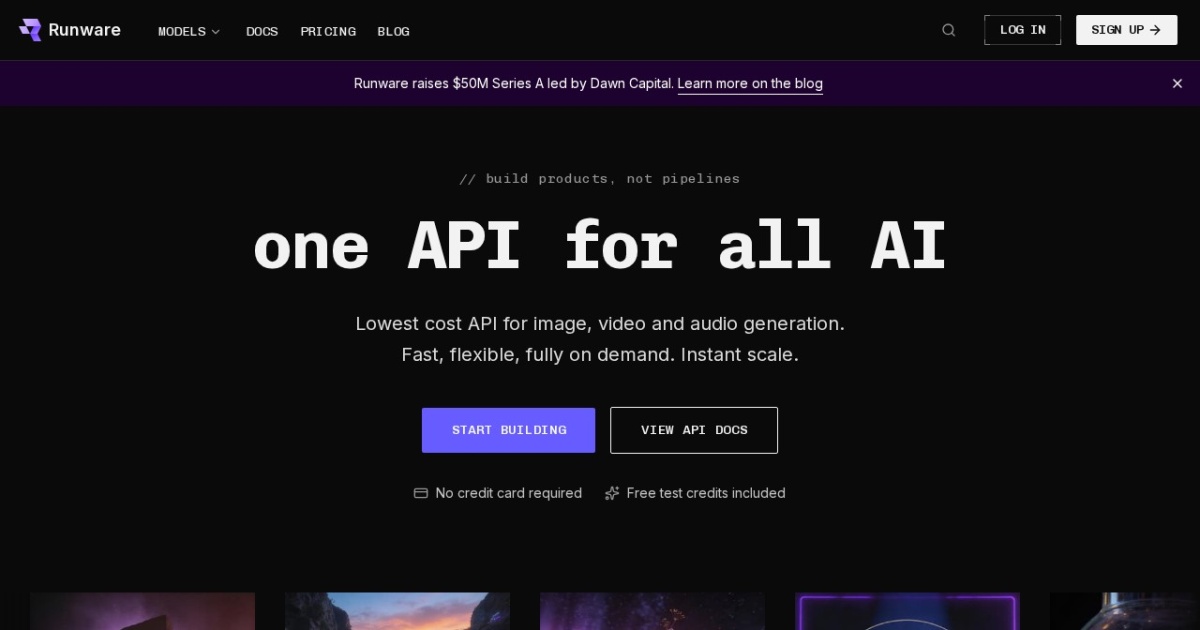
Runware alternatives
Fast image API platform for shipping text-to-image and image-editing features with hosted model endpoints.
This Runware alternatives guide compares pricing, strengths, tradeoffs, and related options.
Runware is relevant for teams that need production image APIs with low-latency routing, modern model support, and practical controls such as ControlNet and image-to-image workflows.
Official site: https://runware.ai/
Company YouTube: https://www.youtube.com/@RunwareAI
At a glance
| Pricing model | Credits |
|---|---|
| Page type | Gateway/API aggregator |
| Model source | 3rd-party models |
| Price range | Usage-based credits |
| Supported image resolution | Model-dependent; common production outputs include 1024 and higher. |
| Best for | Developer workflows, Repeatable image and video content workflows, Solopreneur operations |
| Categories | For Creators , For Solopreneurs , For Small Business , Design , Image Generation , Developers , Model Aggregators |
| ControlNet support |
|
Top alternatives
- WaveSpeedAI : Multimodal AI generation platform for image, video, and audio workflows with API access.
- Tensor.Art : Hosted AI image and video generation platform with community models, workflows, and online training.
- OpenRouter : Unified API for routing requests across many third-party LLM providers and model families.
- AI Free API : Free-tier focused API hub for trying multiple AI models and endpoints from one place.
- Portkey AI Gateway : LLM gateway and control plane for multi-provider routing, reliability policies, and governance.
- LiteLLM : Open-source model gateway/proxy for using multiple LLM providers via one OpenAI-compatible interface.
- Z-Image : Z-Image text-to-image family for high-fidelity generation and fast iterative visual production.
- FLUX : FLUX family for quality-first generation, fast local variants, and modern in-context image editing workflows.
- Qwen Image : Qwen text-to-image model family for generation, iterative editing, and text-heavy visual outputs.
Notes
Runware fits best when you want hosted, API-first image generation with practical control workflows and no local model operations overhead.
Comparison table
| Tool | Pricing | Page type | Model source | Price range | API cost | Subscription cost | Resolution | ControlNet | Pros | Cons |
|---|---|---|---|---|---|---|---|---|---|---|
| Runware | Credits | Gateway/API aggregator | 3rd-party models | Usage-based credits | Usage-based API pricing by model and workflow. | No mandatory subscription for pay-as-you-go usage. | Model-dependent; common production outputs include 1024 and higher. |
| Fast API response profile for production image workloads; Practical support for generation and controlled workflows in one platform | Final quality and behavior vary by chosen model endpoint; Usage costs can scale quickly at high generation volume |
| WaveSpeedAI | Credits | Gateway/API aggregator | 3rd-party models | Usage-based credits | Usage-based API pricing; verify current rates in official pricing docs. | Paid plans and credit packs depend on current usage limits and workflow needs. | Model-dependent output sizes; practical support includes standard social and high-resolution generation presets. | Model-dependent; varies by selected generation model and workflow. | Fast multimodal generation workflow for image and video outputs; Broad model access in one interface and API surface | Model capability and controls vary by selected endpoint; Credit usage can rise quickly for high-volume generation |
| Tensor.Art | Freemium | Model family | 3rd-party models | Free + credits + $1 daily pass / $9.90 Pro | TAMS billing docs show image-generation capability billed from about $0.003 per credit, with final cost depending on workflow, hardware tier, and selected model path. | Official public pricing includes a $1 Daily Pass, $9.90 monthly Pro, $19.90 quarterly Pro, and yearly Pro offers, plus separate credit packs. | Model- and workflow-dependent; hosted image and video outputs vary by selected model, workflow, and Pro segment access. |
| Large hosted community of models, LoRAs, and reusable workflows; Useful bridge between no-setup generation and more advanced ComfyUI-style control | Quality, controls, and licensing depend heavily on the selected community model or workflow; Credit economics can become hard to predict across mixed hosted workflows |
| Z-Image | Free | Model family | Own models | Free (open weights; compute costs apply) | No mandatory vendor API fee for local/self-hosted use; hosted inference APIs are provider-priced. | No required subscription for local open-weight use; hosted providers may offer paid plans. | Up to 2048x2048 in standard pipelines (higher via tiling/workflow extensions). |
| Clear family split between quality-first base and speed-first turbo; Strong practical fit for text-heavy thumbnail and poster generation | Large checkpoints still require careful VRAM planning for local use; Prompt quality and style control still need iterative tuning |
| FLUX | Free | Model family | Own models | Free open weights + paid hosted tiers | Hosted API pricing is provider-dependent; local open-weight use has no mandatory vendor API fee. | No required subscription for local open-weight branches; hosted providers may offer paid tiers. | Commonly 1024x1024 native; higher outputs via high-res/tiling workflows (UI/provider dependent). |
| Strong family coverage from fast local generation to advanced iterative editing; Context-aware editing branch is practical for multi-turn visual workflows | License terms vary significantly across branches and must be checked per model; High-quality branches can require substantial VRAM for comfortable local runs |
| Qwen Image | Freemium | Model family | Own models | Free-$20+/mo | API pricing varies by hosting provider and selected model endpoint. | No mandatory subscription for local open-weight use; hosted plans may include monthly tiers. | Qwen-Image 2.0 adds native 2K output; older branches typically centered on 1024x1024 workflows plus scaling. |
| One family covers both clean generation and advanced editing; Strong text rendering quality for posters and thumbnail-style assets | Large checkpoints can still require significant VRAM for smooth local inference; Quality still depends on prompt and edit instruction precision |
Internal links
Related best pages
- Best AI Tools for Developers 2026
- Best AI Website Generators
- Best AI Automation Tools
- Best Free LLMs for Solopreneurs